
FR Legends: The Complete Guide to the Mobile Drifting Game (2026)
V0.4.8 Stable
FR LEGENDS MOD APK
- Category Drifting Racing
- Developer Twin-Turbo games
- Last Update September 4, 2026
📦
File Size
141 MB
⚡
Features
Fully Unlocked
🔥
Downloads
50M+ Players
FR Legends is the mobile drifting game built entirely around FR, front-engine, rear-wheel-drive, cars, real drift-circuit locations, and a scoring system modeled on actual competitive judging. Developed by Feng & iiley at Twin Turbo Tech, it has grown into one of the most played drift racing games on Android and iOS, with over 50 million downloads on Google Play alone. This guide covers everything: the car roster, tracks, game modes, livery system, controls, scoring, requirements, and where to legitimately download it on every platform.
What Is FR Legends?
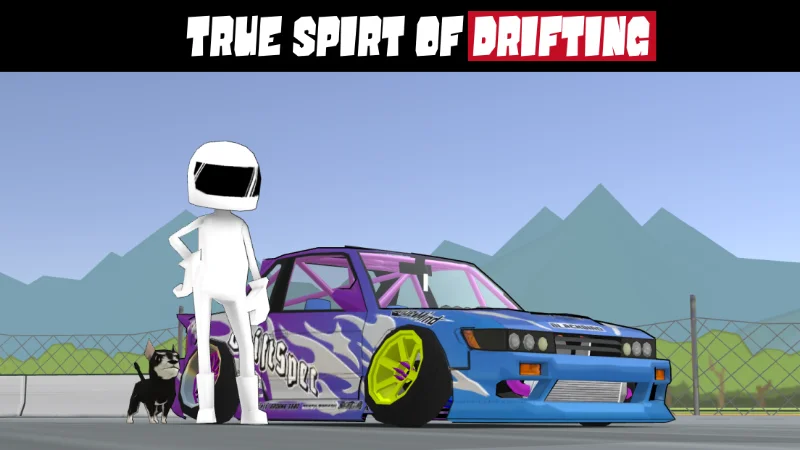
FR Legends is a stylized, cel-shaded mobile drift racing game where every car in the garage is FR-layout, front-engine, rear-wheel-drive which is the configuration real-world drift cars use. Instead of standard lap racing, FR Legends scores players on drift angle, line, speed, and proximity to a lead car, echoing how judges score events like Formula Drift and D1 Grand Prix. The official app description sums it up as the “Spirit of Drifting,” and that framing runs through the entire game: iconic circuits, JDM-inspired cars, deep livery customization, and tandem drift battles against AI or real opponents.
The game first launched in 2018 and has been updated continuously since, most recently reaching version 0.4.8 in 2026. It’s rated 4.3 out of 5 across roughly 490,000+ Google Play reviews and sits in the top tier of mobile racing games on both Android and iOS, competing in the same space as CarX Drift Racing 2, Torque Drift, and Assoluto Racing.
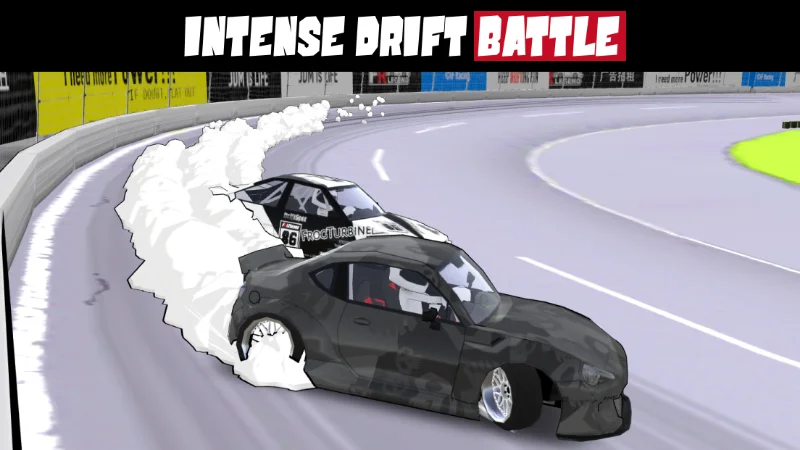
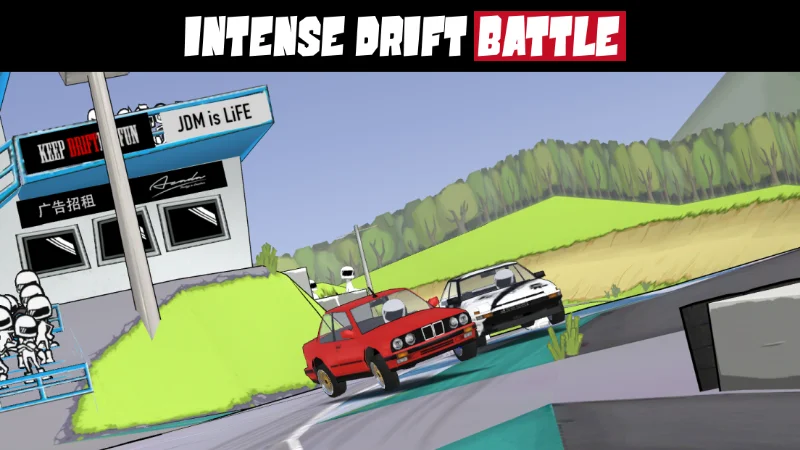
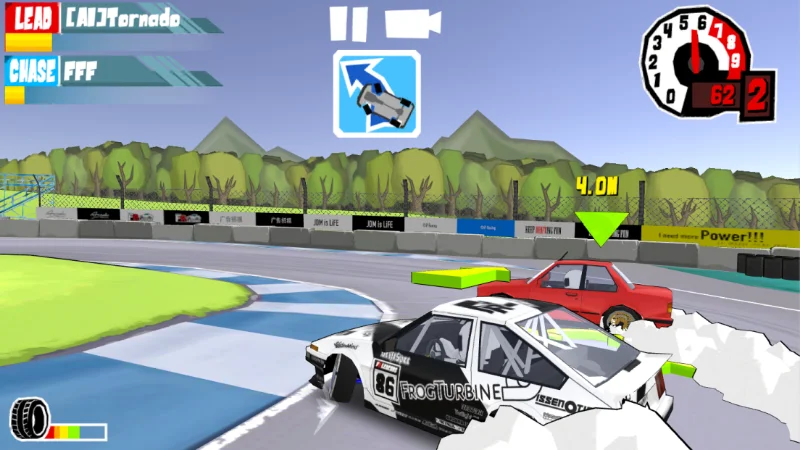
Who Made FR Legends?
FR Legends was created by Feng & iiley, a small development duo operating under Twin Turbo Tech (also listed on Google Play as Twin Turbo Games). The studio has kept the game in active development for years, releasing frequent patches that add cars, fix bugs, and refine physics rather than chasing a full sequel. If you’ve seen listings for “FR Legends 2” or “FR Legends 3” online, it’s worth knowing there is currently no officially announced sequel, those listings are almost always fan-made builds or mislabeled versions of the original game.
| Developer | Feng & iiley / Twin Turbo Tech |
| First Released | 2018 |
| Current Version | 0.4.8 (Android/iOS) |
| Genre | Drift Racing / Simulation-Arcade Hybrid |
| Platforms | Android, iOS, Windows (via Google Play), Mac/PC (via emulator) |
| Price | Free, with optional in-app purchases |
| Google Play Rating | 4.3 / 5 (490K+ reviews) |
| App Store Rating | 4.3 / 5 (13K+ reviews) |
| Downloads | 50,000,000+ on Google Play |
Platforms & Where to Download FR Legends
FR Legends is officially available through the Google Play Store and the Apple App Store, and also runs on Windows and Chromebook devices through Google Play’s PC support, no emulator required on supported machines.
- Android: Google Play Store, developer listed as TWIN TURBO GAMES
- iOS (iPhone/iPad): Apple App Store, requires iOS 13.0 or later
- Windows/Chromebook: Google Play games on PC
- Mac/older Windows: Android emulators such as BlueStacks, LDPlayer, or Nox
If you’re specifically after the modded build with unlocked cars and unlimited in-game money, see our dedicated FR Legends Mod APK, plus platform-specific pages for PC, iOS, and the Supra-focused mod.
Core Gameplay Features
What separates FR Legends from generic mobile racers is that it isn’t built around finishing first, it’s built around how you drive. The core feature set includes:
- Tandem drift battles against AI drivers or real players, where following line and proximity to the lead car matter as much as your own angle
- A real-world-inspired scoring system based on angle, line, speed, and proximity, similar to Formula Drift and D1GP judging
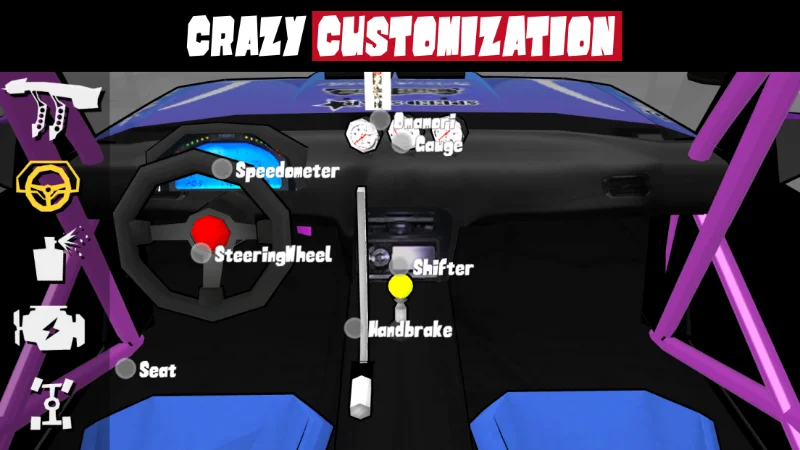
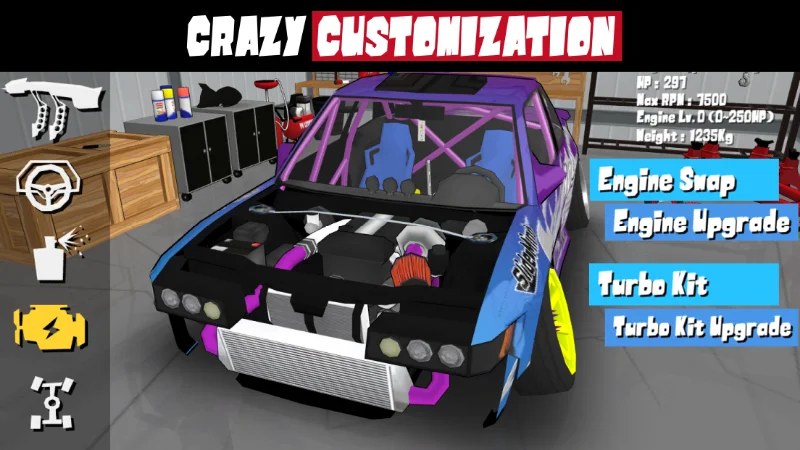
- Deep car customization, from engine swaps to wide-body kits, wheels, ride height, and full livery painting
- A roster of FR (front-engine, rear-wheel-drive) cars, the layout real drift cars actually use
- Multiplayer with a capped room size, plus offline Practice and Solo Run modes
- Multi-language support across more than 20 languages, reflecting the game's genuinely global player base
FR Legends Car Roster
True to the name, every car in FR Legends is a front-engine, rear-wheel-drive platform, which is also why you won’t find any all-wheel-drive or mid-engine cars in the garage. The confirmed lineup draws from real Japanese and European drift-scene platforms:
| Platform | Chassis Code(s) |
|---|---|
| Toyota AE86 | AE86 |
| Toyota GT86 / Subaru BRZ platform car | ZN6 |
| Toyota Chaser | JZX100 |
| Nissan Silvia | S13, S14, S15 |
| Nissan Skyline GT-R | R32, R33, R34 |
| Mazda RX-7 | FC3S, FD3S |
| BMW 3 Series | E30, E36 |
Community favorites like the Toyota Supra MK4 and Honda Civic also show up frequently in player builds and modded roster expansions, see our FR Legends Supra guide for a closer look at that car specifically. Weight distribution and engine placement drive most of the handling difference between cars: a lighter chassis like the AE86 snaps into a drift quickly but feels twitchy at speed, while something heavier like the JZX100 carries momentum through a slide and rewards a more patient driving style.
Engine Swaps & Tuning
Engine swaps are one of the deeper systems in FR Legends, letting you drop a completely different powerplant into a chassis to change how it drives. Community conversation around swaps consistently centers on a handful of real JDM engines that carry their general character into the game:
- 2JZ — the Supra's inline-six, favored for high-horsepower builds
- RB26 — the Skyline GT-R's engine, known for a strong mid-range
- SR20 — a lighter, more responsive swap popular on Silvia chassis
- CA18DET — an older-school swap favored for lower weight over raw power
Beyond the engine itself, suspension tuning, differential settings, and steering angle all play a major role in how a car behaves during tandem drifting, two identically-engined cars can feel completely different once tuning is factored in.
FR Legends Tracks
Rather than generic circuits, FR Legends builds its track list around real-world drift culture and venues:
| Track | Character |
|---|---|
| Irwindale Speedway | Entry-level, known for a "glassy" low-grip surface |
| Drift Park | Multi-layout course with sequential clipping zones |
| Ebisu Minami | Similar layout style to Irwindale, higher difficulty |
| Ebisu Touge | Forest touge run with elevation changes |
| School Course | Technical, tight-radius corners |
| Grange Motor Circuit | Desert environment, technical grip sections |
| Gunsai Touge | Mountain-pass layout surrounded by greenery |
| Meihan Sportsland (Kansai) | Hybrid glassy/sandy surface |
| Hiroshima | Realistic urban-inspired course |
| USAIR Motorsport | Open-world style raceway |
New players typically start on the simpler Drift Park layouts before moving on to technical courses like Gunsai Touge or Ebisu, since the easier tracks are more forgiving while you’re still learning initiation timing.
Game Modes Explained
| Mode | What It's For |
|---|---|
| Practice | Run a track with up to four AI cars, no scoring pressure — best place to learn a new car |
| Solo Run | Scored drifting alone against the clock and track layout |
| Battle | Tandem-style run against an AI opponent, scored on following line and proximity |
| Touge Attack | Grip-based mountain-road driving rather than pure drift scoring |
| Championship | A structured, ladder-style competitive mode |
| Multiplayer | The same battle format against real opponents, with a capped room size |
Jumping straight into Multiplayer as a new player is a common mistake, spending time in Practice and Solo Run first builds the angle and throttle control that Battle and Championship modes actually reward.
Game Modes Explained
The livery editor is one of the biggest reasons FR Legends has held onto its player base long after launch. Beyond raw performance tuning, it supports layered custom paint, body kits, wheels, ride height, and roll cages. Players regularly share livery codes, importable strings that recreate a specific paint job or design, so you can apply a community build to your own car without designing it from scratch. If you want ready-to-use codes and a step-by-step import guide, see our FR Legends livery codes page.
How the FR Legends Scoring System Works
FR Legends scores runs the way real drift competitions do, factoring in four core elements:
- Angle — how far sideways the car is holding through a corner
- Line — how well the driven path matches the ideal drift line, including clipping zones
- Speed — maintaining speed through the drift rather than losing momentum
- Proximity — in Battle and Multiplayer tandem runs, how closely the chase car follows the lead car's line
Deductions apply for straightening out mid-drift, drifting the wrong direction, or clipping a wall too hard. New players often chase raw speed through a section, but in practice a slower, controlled line that holds its angle through the exit scores higher than going in fast and sliding wide.
Controls & Steering Options
FR Legends is built primarily around touch controls, with three steering schemes to choose from:
- Tilt steering — uses the device's accelerometer
- Slider steering — an on-screen slider for fine control
- Button steering — discrete left/right inputs
Most experienced players lean toward Tilt or Slider for grip-oriented sections, since buttons make fine steering correction harder to hold consistently mid-drift. Some players also use controllers through Android emulators when playing on PC, though native controller support varies by device.
System Requirements To Install FR Legends MOD APK
| Requirement | Android | iOS |
|---|---|---|
| Minimum OS | Android 5.1+ | iOS 13.0+ |
| Recommended OS | Android 9.0+ | Recent iOS release |
| Storage | ~300–500 MB free | ~394 MB |
| RAM | 2 GB or more recommended | — |
| Connectivity | Offline modes available; Multiplayer needs internet | Offline modes available; Multiplayer needs internet |
Tip: If your device meets only the minimum requirements, the game will still run. However, for smoother drifting, faster loading, and better stability, a device closer to the recommended specs will provide a noticeably better experience. You can also try FR Legends 2 Mod APK for an ultimate drifting experience and ad-free gameplay.
How to Download & Install FR Legends
- Android: Open the Google Play Store, search “FR Legends,” and tap Install.
- iOS: Open the App Store, search “FR Legends,” and tap Get.
- Windows/Chromebook: Open Google Play on a supported PC and install directly — no emulator needed.
- Older PC/Mac: Install an Android emulator (BlueStacks, LDPlayer, or Nox), then install FR Legends from within the emulator’s app store.
If you’re looking for the modded build instead, unlocked cars and a larger starting money balance, our FR Legends Mod APK install guide covers the APK-specific steps and safety checks separately.
In-App Purchases & Free-to-Play Model
FR Legends is free to download and play, with two in-game currencies: cash (earned through Solo Runs and Battles, or purchased in packs) and gold, a smaller premium currency tied to a handful of special-edition cars. Optional purchases include cash bundles, gold packs, a livery creator pass, and a limited-time membership. Ads are opt-in in most cases, players can choose to watch a video ad in exchange for gold rather than being interrupted mid-race.
FR Legends on PC
Two legitimate ways exist to play FR Legends on a computer. On supported Windows machines and Chromebooks, Google Play now runs Android games natively, so FR Legends installs and runs without an emulator. On older Windows builds or macOS, an Android emulator such as BlueStacks or LDPlayer is the standard route — install the emulator first, then download FR Legends from the Play Store inside it. Playing this way generally means better keyboard/mouse or controller mapping and a bigger screen, at the cost of needing extra setup. Our dedicated PC guide walks through both methods in detail.
Beginner Tips for FR Legends
- Start in Practice mode before touching Multiplayer — there’s no scoring pressure and up to four AI cars to learn against
- Learn one car’s handling before switching — a lot of “bad” cars are actually a suspension setup that doesn’t match your drift initiation style
- Prioritize line and angle over raw speed — the scoring system rewards control, not just going fast
- Use Gymkhana/Solo Run for steady income before grinding Championship mode
- Match your steering scheme to the track — Tilt or Slider tends to work better than Button steering on technical, grip-heavy sections
FAQ'S
FR stands for front-engine, rear-wheel-drive — the drivetrain layout every car in the game uses, and the same layout real-world drift cars are built on.
Yes. FR Legends is free on both Google Play and the App Store, with optional in-app purchases for cash, gold, and a livery creator pass.
FR Legends was developed by Feng & iiley under Twin Turbo Tech, first released in 2018 and updated continuously since, most recently to version 0.4.8.
Most gameplay modes, including Practice and Solo Run, work without an internet connection. Multiplayer and some online features require connectivity.
The game is designed primarily around touch controls — Tilt, Slider, and Button steering. Controller support exists mainly through emulator-level mapping on PC rather than as a native feature on mobile.
No. There is currently no officially announced sequel. Listings using those names are typically fan-made projects or mislabeled builds of the original game.
Yes — either through Google Play on a supported Windows or Chromebook device, or through an Android emulator like BlueStacks or LDPlayer on older systems.
The confirmed roster spans front-engine, rear-wheel-drive platforms including the AE86, GT86, Silvia S13–S15, Skyline GT-R R32–R34, RX-7 FC3S/FD3S, Chaser JZX100, and BMW E30/E36, across ten confirmed tracks. New cars are added periodically, so exact counts shift with each update.